This section explains how to access your U3a email account. You’ll need the email with your login details to hand – if for some reason you have not had or cannot find this information please contact webmaster
You can copy and paste the user name and password into the box that appears when you Click Here
Email Guide for Group Leaders explains the way the group email system works when sending messages to your group from Simple and receiving messages or enquiries in Roundcube.
For more help on managing Roundcube – Roundcube Help
Note: It is recommended that you use an email client such as Outlook, Windows Mail, Thunderbird, Gmail etc to set up your U3a mail account. It will be much easier for you to manage if you do so, instructions on how to set this up can be found on the Webmail Home tab in Roundcube. It will work on a PC, tablet, or phone.
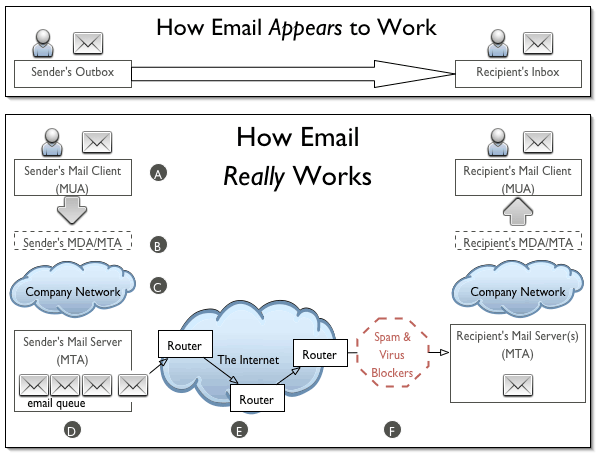
For those interested in what happens behind the scenes, this diagram will be interesting. It’s not as straightforward as you may think, there are many steps and interfaces with different servers between you – the sender – and the recipient.
Please also refer to the Policies and Forms Menu which has sections with resources for GCs, Health and Safety/Risk Assessments, and Technical Support guides.